Definitions, derivations, notes, and long tables start folded.
Chapter 10Make your own
The last chapter of the ladder is a short one, because most of it is the earlier ones: you make your own Splash by writing a recipe (Chapters 2 to 6), by typing an equation (Chapter 3), by turning something you already have into splats (Chapters 7 to 9), or by opening a file someone else made. This chapter gathers those ways in one place and says, for each, what it takes and what it cannot do. It ends with how to share what you made.
Four ways to make your own
| Way | What you give it | What you get | Where |
|---|---|---|---|
| Type one | An equation for x, y, z, and a color | A surface of splats, and a link to share it | Splat Equation (Chapter 3), labs |
| Open one |
A splat file (.ply, .sog, .splat,
.spz)
|
The splat as a Splash that Poke, Paint, Magnet, and the effects work on | More → Share → Save → Open your own splat file…, or drop a file on the page; open to everyone |
| Turn something into one | A photo, a video, a 3D model, a table, a sound, a PDF, a molecule, a scan | Splats made on your device | The Studio, labs (below) |
| Write one | A recipe in JavaScript | A Splash with parts, controls, and a tap of its own | The source code (Chapters 2 to 6) |
Open one
Open your own splat file…, in More → Share → Save, opens a PLY, SOG, SPLAT, or SPZ file (SPZ versions 1 to 3). KSPLAT and version 4 SPZ files are refused with a message that says to convert them first. You can also drop a file anywhere on the page. A file you open yourself has no Splash sheet. The file stays on your device, and nothing is uploaded. Poke, Paint, Magnet, every effect, the motions, the patterns, and the Detail setting all work on it. What cannot work is a Splash's own action (a lid that opens: a captured file has no lid) and Clay. And a file cannot go in a share link, because it never leaves your device: a link carries settings, not files (Chapter 9). To share the result, export a picture (PNG), a GIF, or a video.
The Studio
What it is. The Studio is a shelf of tools that turn other things into splats, on your device. Each takes a file you open, does its work on your device (some tools in a worker), and shows the result as the Splash's splats. They are behind the labs switch. Nothing is uploaded, and the libraries a tool needs (a PDF reader, a depth model, a laz decoder) are loaded only when its Splash opens.
| Splash | You open | It makes | Chapter |
|---|---|---|---|
| 3D Photo | A photo | The photo at its depths, as a Sharp view or as splats | 8 |
| 3D Video | A GIF or a short video | The clip played back in 3D | 8 |
| 3D World | A video of a still scene | A trained splat scene and its camera path (WebGPU) | 8 |
| 360° Photo | A 360° photo | A room of splats you stand inside | 8 |
| Splat Mirror | Your camera | The camera as a mirror, in 3D, as splats or a Sharp picture | 8 |
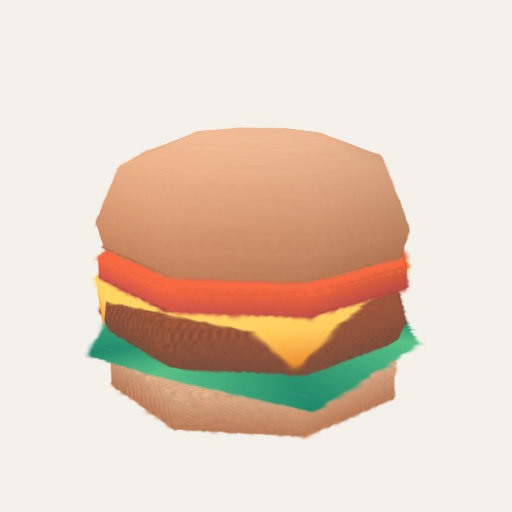
| Model to Splats | A glTF, GLB, OBJ with its MTL, or STL file | The surface as flat discs, colored from the model | 10 (below) |
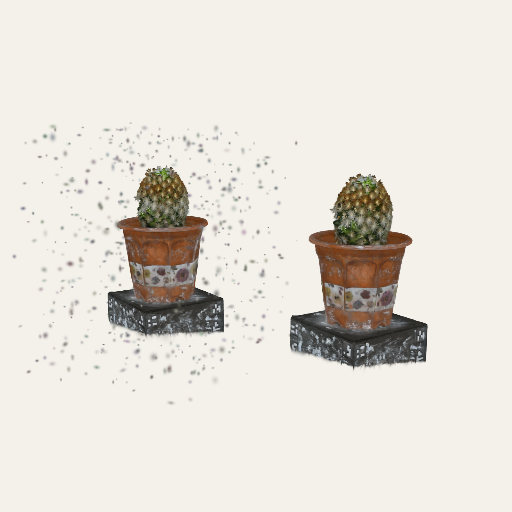
| Splat Toolkit | A splat file (or two, to compare) | The file's numbers, cropped, cleaned, shrunk, and saved in another format | 10 (below) |
| Point Clouds | A LAS, LAZ, PLY, XYZ, or PTS file | The points as splats, colored by height, intensity, or class | 7 |
| Volume Viewer | A DICOM, NIfTI, TIFF, or raw volume | A block of splats you can cut through | 7 |
| 3D Data | A CSV or TSV table | A scatter, bars, or a surface with labeled axes | 7 |
| Molecule Viewer | A PDB, mmCIF, SDF, or XYZ file | Balls and sticks, space-filling atoms, a cartoon, or a surface | 7 |
| QR Code | A link, text, or other contents | A code that checks that it scans | 9 |
| QR Explained | Your own text, or a real code | Each part of the code lit up, or your text encoded step by step | 9 |
| Video QR | A video or a GIF, or a sample clip | A QR code that scans on every frame as the clip plays | 9 |
| Splash Book | A PDF | A book whose pages turn | 9 |
| Song Landscape | A song | A 3D field made from its spectrogram | (sound Splashes) |
Model to Splats
Splat Toolkit
Models, and your splat files
Model to Splats (src/packs/studio-models-core.js, which a Node tool
shares) reads a glTF 2.0 file (.gltf or .glb), an OBJ with its
MTL, or an STL file, and lays flat discs on the surface, more of them where there is detail,
each sized to its neighbors so the surface closes. It colors them from the model's
base-color texture, vertex colors, or material. It opens at about 87,000 splats at Low,
200,000 at Mid, 470,000 at High, and 670,000 at Max (3D Photo opens at 90,000, 210,000,
300,000, and 400,000), and the Splats slider changes them. What it does not read: glTF
compressed with Draco or meshopt, morph targets, skinning (a skinned mesh shows in its bind
pose), animations, lights, cameras, emissive colors, and any texture except the base color.
Glass, a material less than half opaque, is left out, because splats cannot be see-through
solids.
The Splat Toolkit opens a 3D Gaussian splat file and shows its numbers: how many
splats, how big, how opaque, and the degree of their view-dependent color. Then it works on
it: crop it with a box, remove floaters with a statistical filter you tune (the removed
splats show in red, or before and after side by side), shrink it to a share of its splats,
and compare it with a second file, turning in step. It saves in four formats: PLY
(everything is kept; every tool reads it), SPZ (about a tenth of the size; view-dependent
colors are kept), SOG (the smallest; base colors only), and .splat (simple;
base colors only). A file is saved to a place you choose.
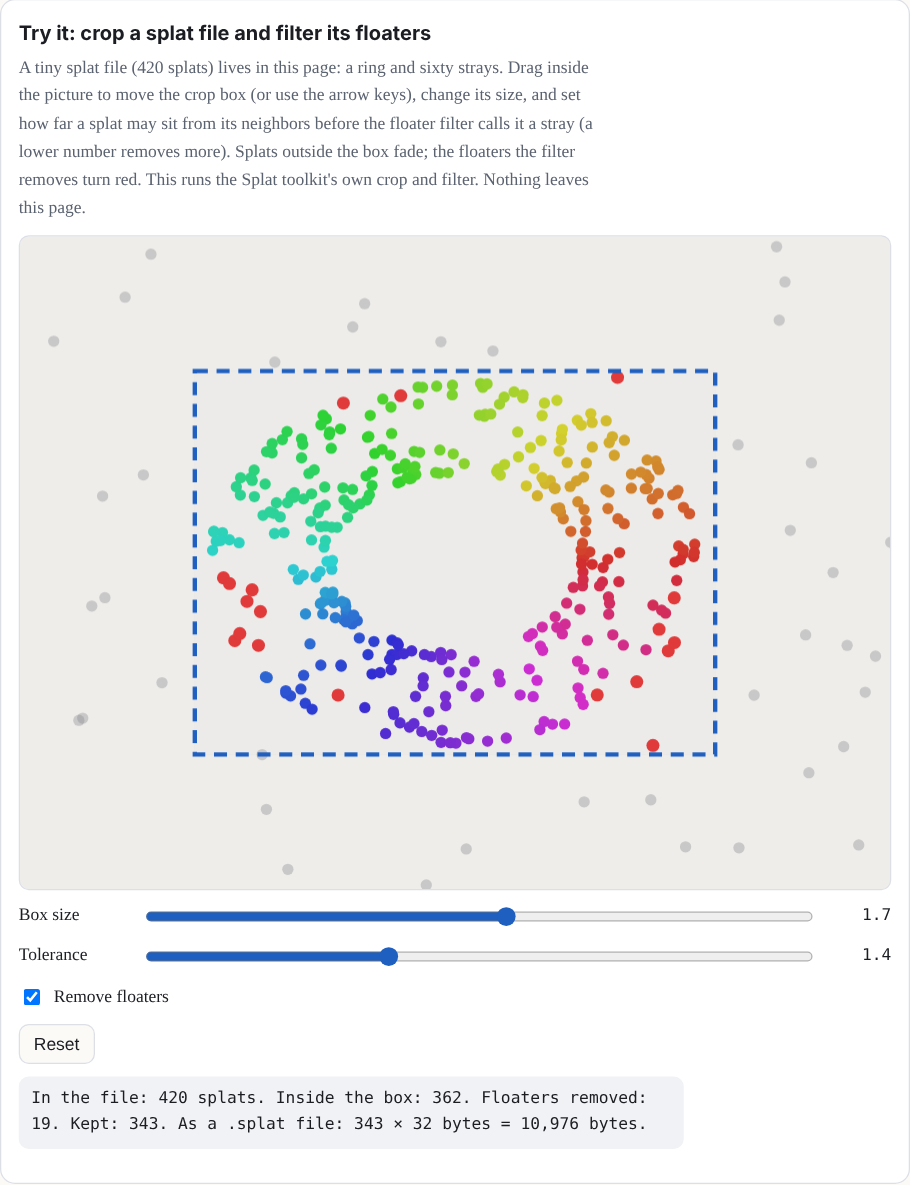
Try it: crop a splat file and filter its floaters
A tiny splat file (420 splats) lives in this page: a ring and sixty strays. Drag inside the picture to move the crop box (or use the arrow keys), change its size, and set how far a splat may sit from its neighbors before the floater filter calls it a stray (a lower number removes more). Splats outside the box fade; the floaters the filter removes turn red. This runs the Splat Toolkit's own crop and filter. Nothing leaves this page.
Writing a recipe
A recipe is a plain JavaScript object in a pack file under src/packs/, and the
keys it can have are the whole of this manual so far. Here they are in one place:
Show the table: what a recipe can ask for
| Key | What it is | Chapter |
|---|---|---|
build(k, o) |
Makes the splats from the kit's shapes, from the options o. |
2 |
drive(t, c, out, info) |
Every frame: moves parts, tokens, and levers; sets glow and sheets. | 2, 5 |
options, controls, action |
The choices saved in a link, the live sliders and pulses, and the tap. | 2 |
pictures, input, tiltLock |
What a visitor can open or type, and how a drag turns a flat Splash. | 5 |
hands, handsOn, handsLevel1 |
Pieces, joints, ropes, materials, and the ✋ switch.
handsOn: false keeps a Splash out of hands-on play;
handsOn: true starts the switch on; handsLevel1 lets a
picture or a still Splash play as one rigid body.
|
6 |
alive, density, kernel,
turntable
|
The Splash's own behaviors, how many splats it wants per base budget, the splat shape, and the idle spin. | 2, 5 |
credits |
The license and source notices that show beside the Splash. | 10 |
There is no editor in the browser yet; the Splash Factory is planned ("What comes later").
Today a recipe is a file in the project, and you can run your own copy of the site on your
computer and look at a recipe as you write it. Chapter 2's run it yourself section
shows how. A Splash joins the shelf only after it has been checked and read by a person. Its
credits name the source, author, and license of every asset it uses, and the
site shows them beside the Splash; an asset must carry a license the site can use (never one
that forbids changes, and never one that is unlicensed or paid).
Sharing what you made
- A link: the Share tab of the More sheet shows and copies a link that holds the whole scene, and the header's Share button copies it too. It works for everything except a file you opened (Chapter 9).
- A scene file: the same scene as a JSON file, which keeps paint and clay that a link is too short for. Old scenes (versions 2 and 3) keep opening.
- A picture, a GIF, or a video: PNG, GIF, and WebM exports of the view, and a live recording that starts when you tap Record and is saved only to a file you choose.
- Save image: a still of the stage at 1×, 2×, or 4× its pixels, the whole scene or the Splash alone on a transparent background, cropped to its edges. It is in the Share tab, under Record. On a phone whose page is 384 × 742 pixels, 4× is 1,536 × 2,968 pixels; a picture of 30 megapixels takes under a second and about 0.7 GB more memory across the browser while it is made.
- Record keeps the framing it began with, so a sheet opening or a window resizing does not move the Splash in the video, and keeps a take's sound with its picture. A take records as MP4 where the browser can and WebM otherwise, and an MP4 carries its real length.
- A page of a document: Save PDF (Chapter 9).
-
On a web page: the Share tab of the More sheet gives an iframe snippet and a
<splashery-toy>element, which takes asceneor atoy, atheme, abackground, anautoplay, aturntablesetting, azoom, and alabel. It starts when it scrolls into view and pauses when it leaves.
Every file you open stays on your device, and so does everything you make unless you choose
to save it or share it. Downloads (pictures, scene files, GIFs, recordings, and PDFs) are
named splashery- followed by the Splash's id.
Where to try it
- Splat Equation, Model to Splats, and Splat Toolkit (all labs). Opening your own splat file is open to everyone.